
Dashboard
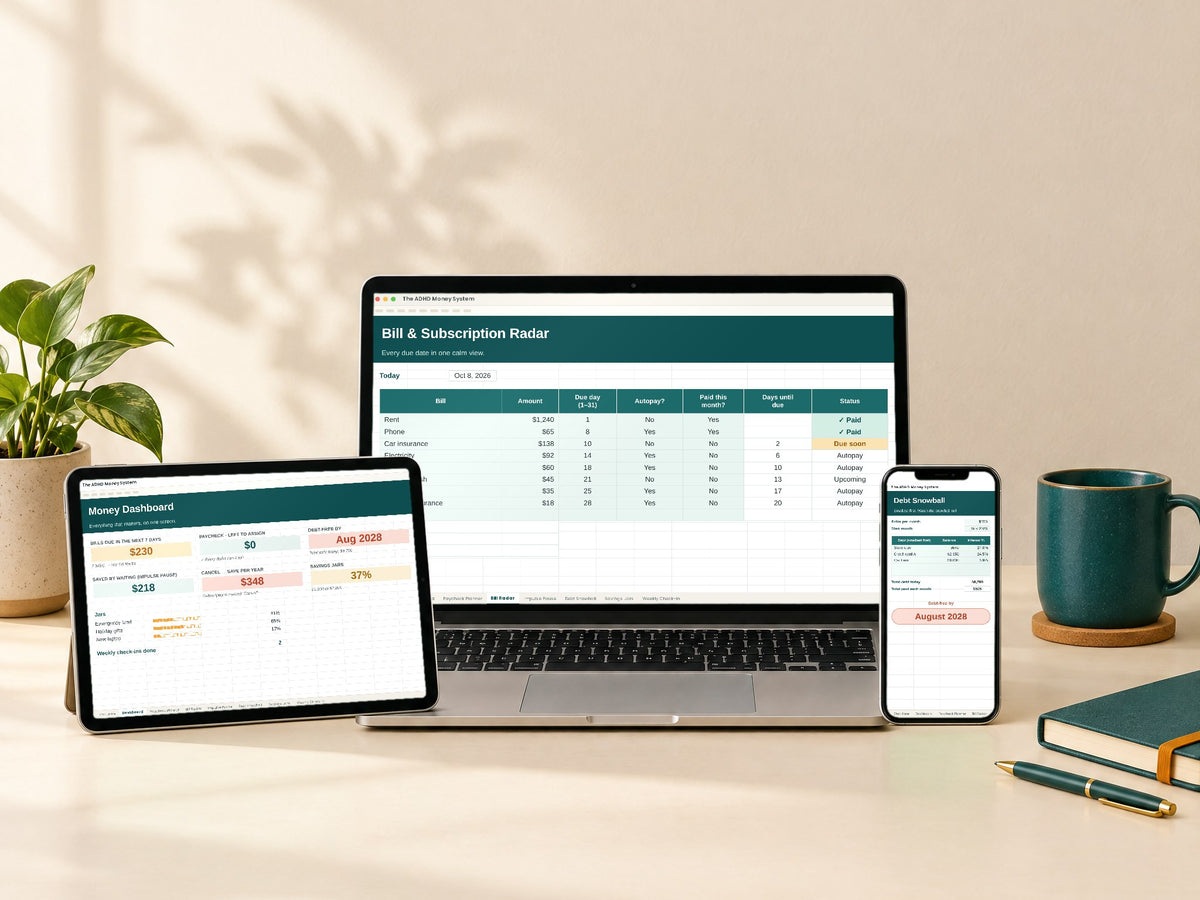
Everything that matters on one screen: bills due in the next 7 days, money saved by waiting, your savings jars and your weekly check-ins.
No more complicated apps
I prefer something straightforward over another app with endless features. A spreadsheet that does the calculations for me sounds much easier to maintain.
Great for forgetful moments
Keeping track of bills and subscriptions can be difficult when I have a lot on my mind. Having a dedicated place for due dates is a really useful idea.
Finally, some clarity
I like being able to see my income, expenses, and savings in one place. It gives me a clearer picture of my finances without making things complicated.
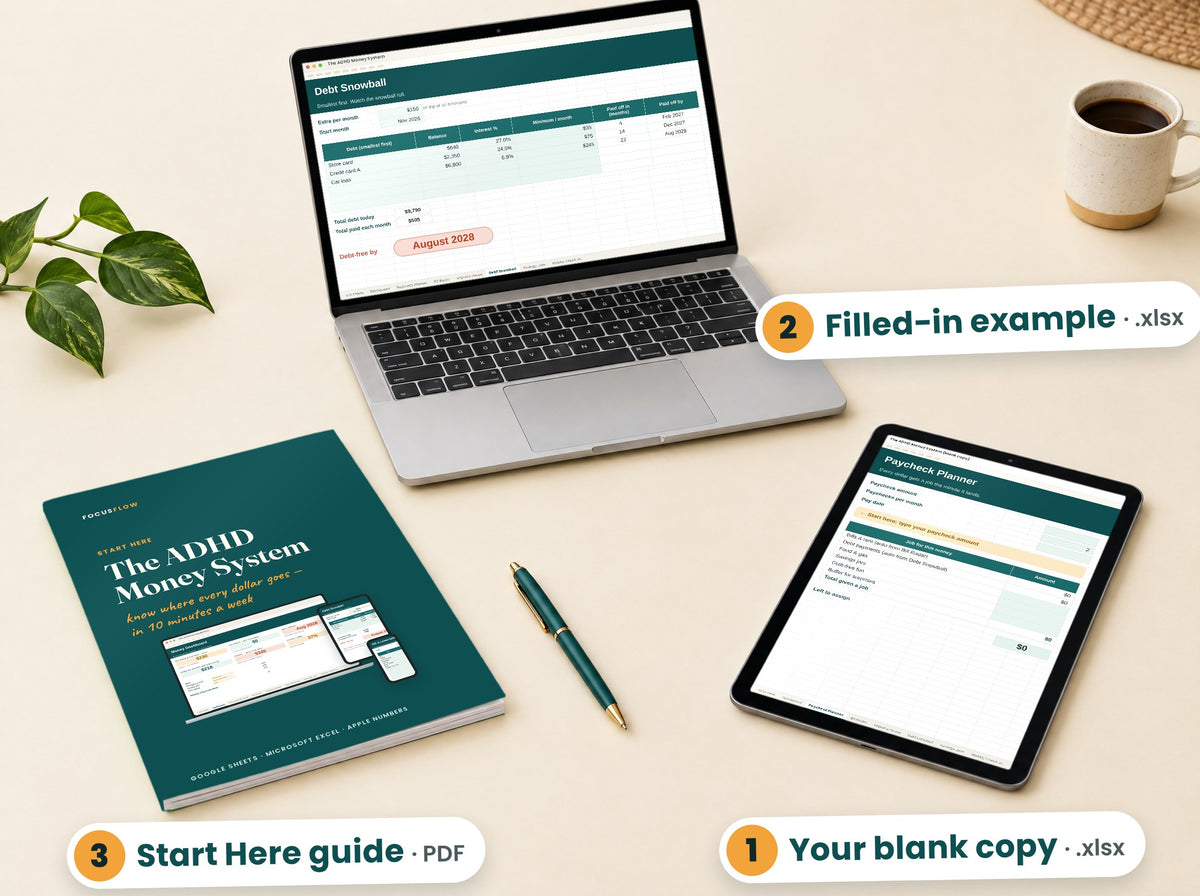
What you get
File broken or not as described? Email us within 14 days and we fix it or refund you.
What’s inside
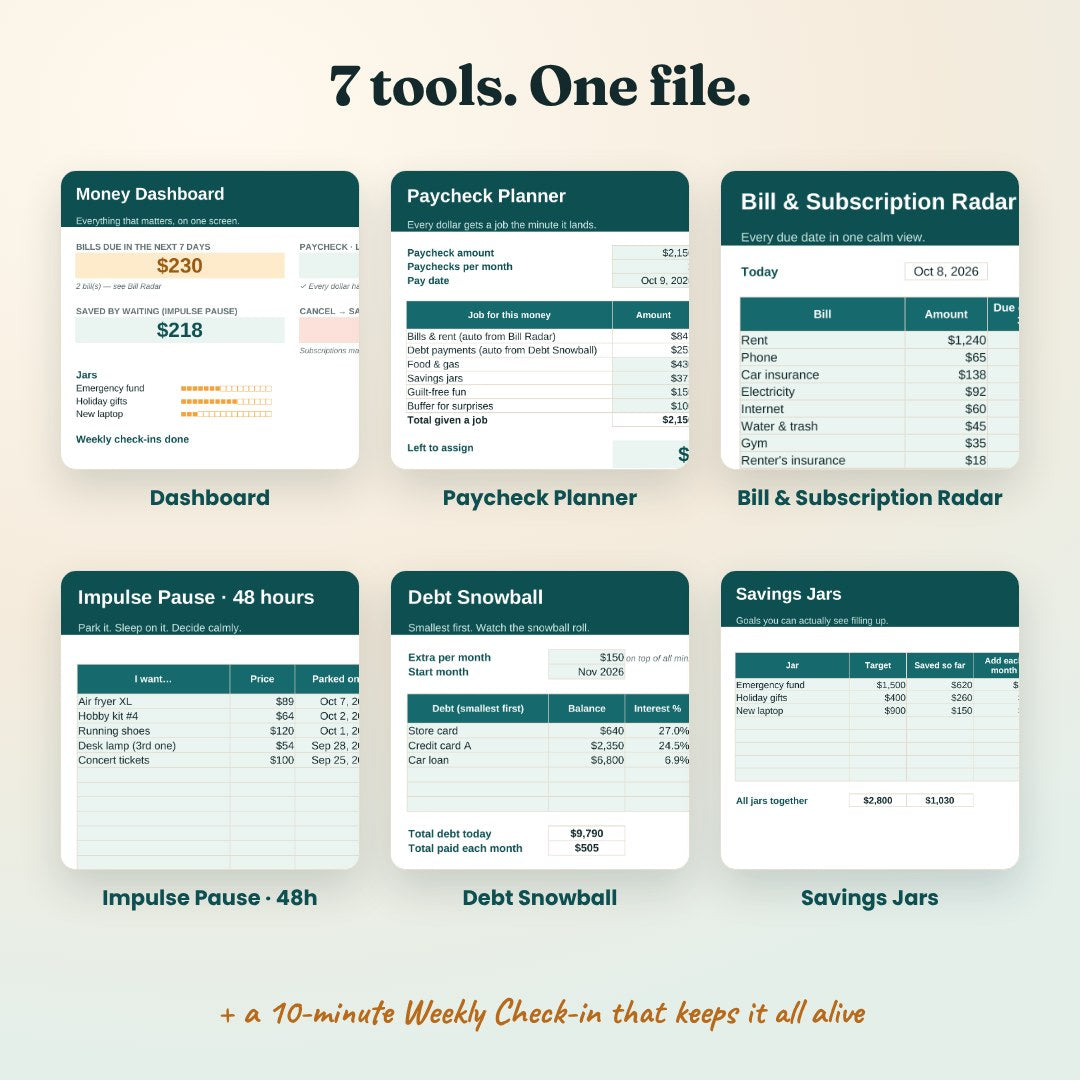
Each tab does one job. You only type in the mint cells — everything else calculates itself.
20 seconds: what you type, what it does for you.
Everything that matters on one screen: bills due in the next 7 days, money saved by waiting, your savings jars and your weekly check-ins.
Every dollar gets a job the minute it lands. Bills and debt payments fill in by themselves.
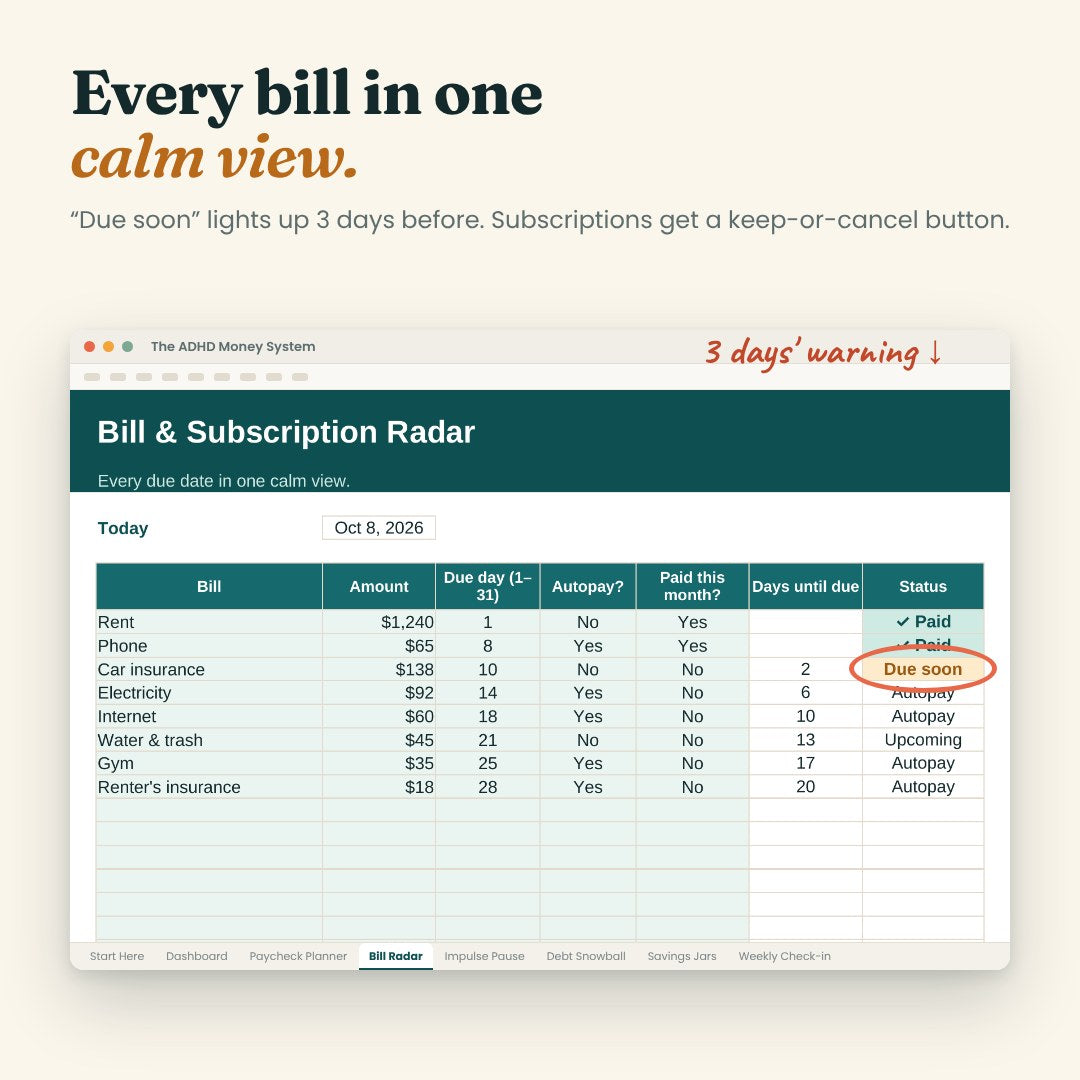
Every due date in one calm view. “Due soon” 3 days before, plus a keep-or-cancel list that shows what you’d save per year.
Want something? Park it, sleep on it, decide calmly — and see how much waiting saved you.
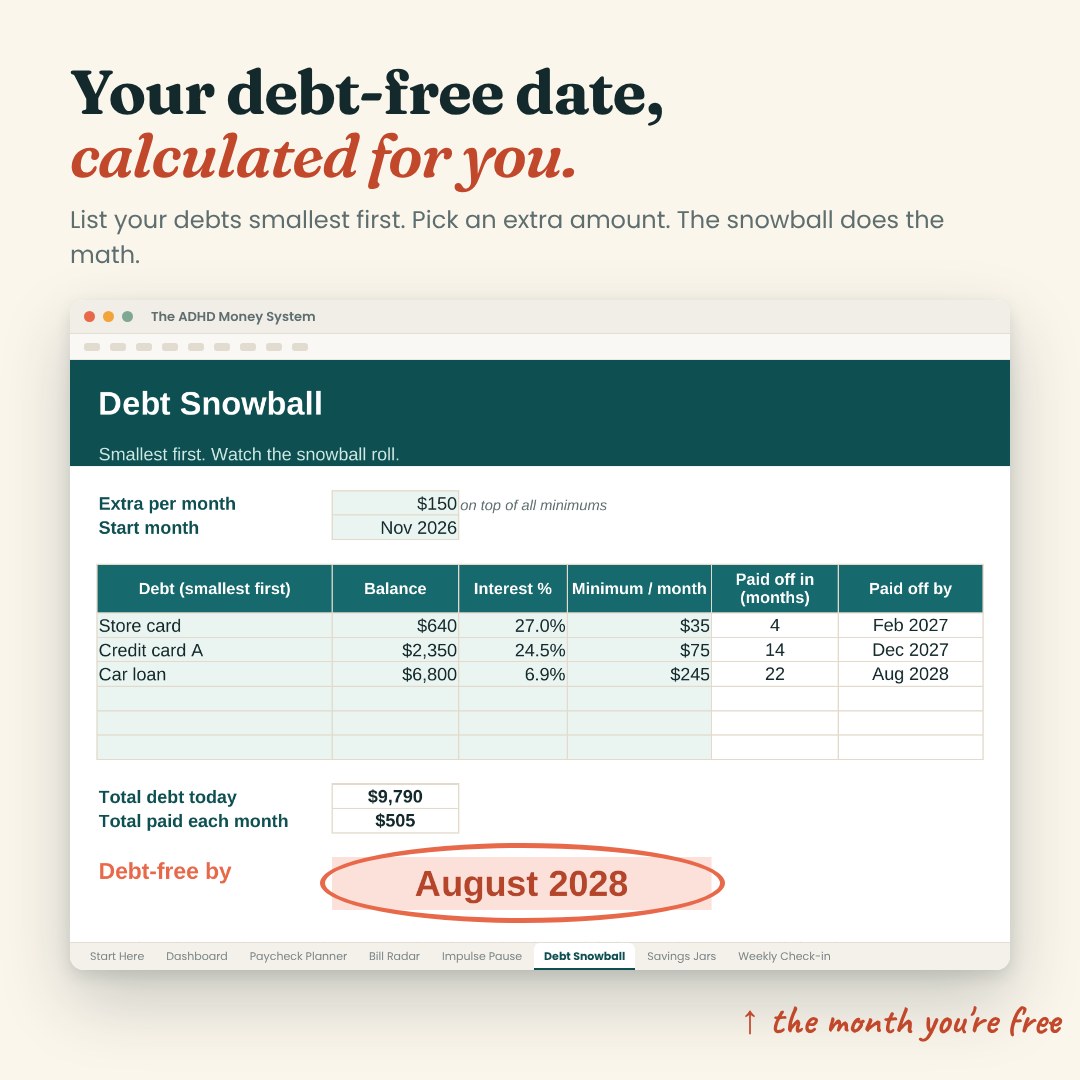
List your debts smallest first, pick an extra amount, and it calculates the month you’ll be debt-free.
Goals that fill up like a progress bar, so you can actually see them growing.
5 steps, 10 minutes a week. It tells you exactly what to look at.
Why this, not an app
* Annual plans as listed on each company’s website in October 2026: YNAB $109, Monarch $99.99, EveryDollar Premium $79.99. Those apps also sync with your bank; this is a spreadsheet you fill in yourself. Names are trademarks of their owners; FocusFlow isn’t affiliated with them.
What you download
Blank and ready to fill in. 7 tabs, every formula built in.
+ 2 free bonuses ↓
Included free
The same file with made-up numbers, so you see what “done” looks like before you type a thing.
.xlsx4 pages: how to open it, your first 20 minutes, and the 10-minute weekly routine.
PDFHow you get it
One secure payment. Nothing is shipped.
Your download links arrive right after checkout. Nothing after 5 minutes? Check Promotions or Spam.
Excel or Numbers: double-click it. Google Sheets: upload it to Google Drive and open it with Sheets. The Start Here guide shows every step.
Ready when you are
File broken or not as described? Email us within 14 days and we fix it or refund you.
No. It works in free Google Sheets, Excel and Apple Numbers — on computer, tablet or phone.
You only type in the mint cells; everything else calculates itself. The filled-in example shows what “done” looks like, and the Start Here guide walks you through your first 20 minutes.
An email with your download links arrives right after checkout. Nothing after 5 minutes? Check Promotions or Spam, or write to support@focusflowplanner.it.
No. You type a few numbers; nothing is shared.
No. One payment, yours to keep.
Yes. Amounts use the $ sign, and the math doesn’t depend on the currency: you type your own numbers and it does the rest.
Look through the demo and the tools above first: that’s exactly what you get. Because it’s an instant download, sales are final once the files are delivered. If a file won’t open, a link is broken or what you get is different from this page, email us within 14 days and we’ll fix it or refund you.
An organizing tool, not financial advice. We’re not doctors or financial advisors. Questions? support@focusflowplanner.it